### [浅析小程序中text文本组件的使用方法](https://www.prosaas.cn/article/16338)
**Published:** 2021-12-08T02:05:42
**Author:** 5201314
**Excerpt:** 小程序中怎么使用text文本组件?下面本篇文章给大家介绍一下小程序中text文本组件的使用方法,希望对大家有所…
小程序中怎么使用text文本组件?下面本篇文章给大家介绍一下小程序中text文本组件的使用方法,希望对大家有所帮助!

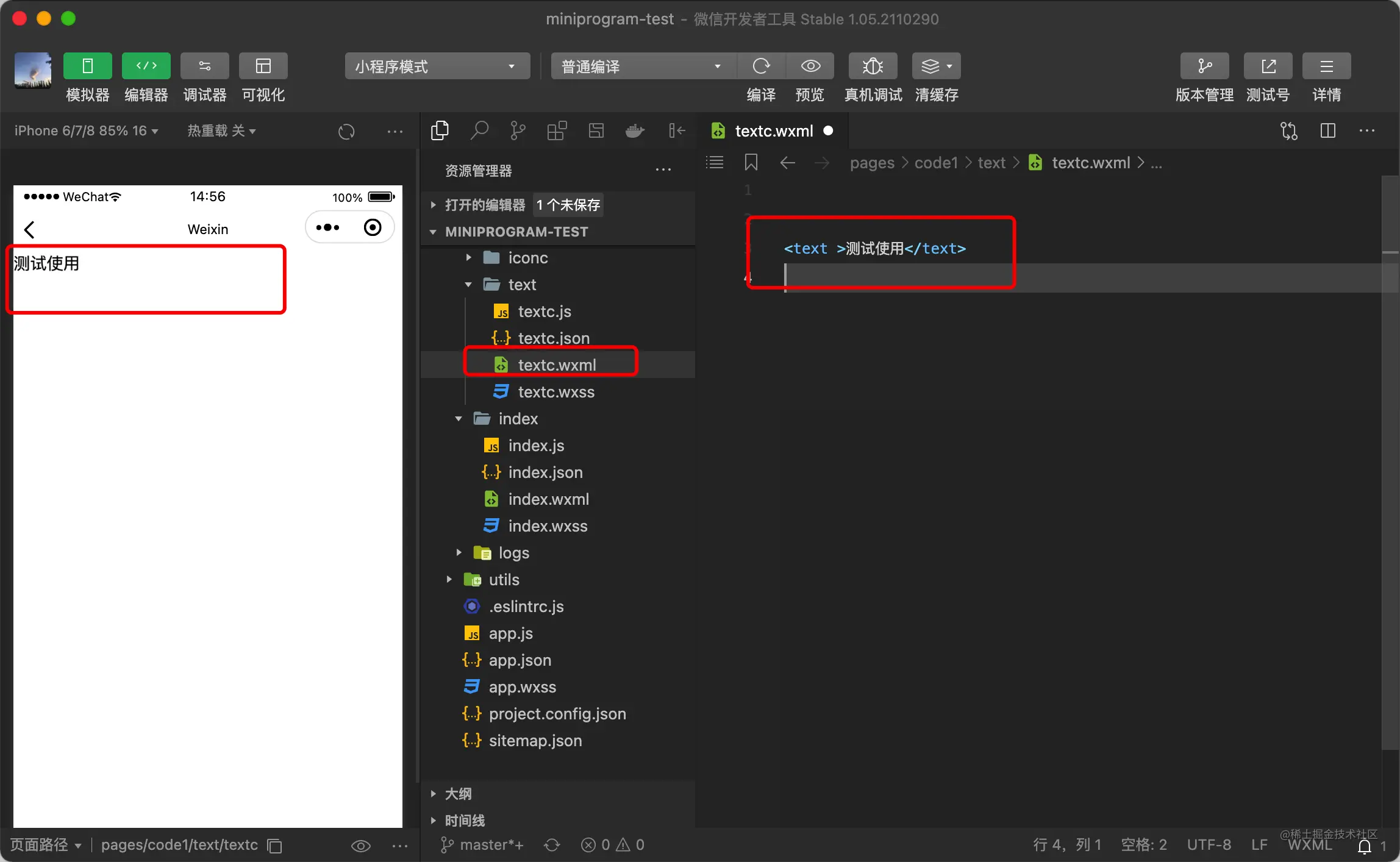
在微信小程序中,组件 text 用来显示文本,基本使用代码如下:
测试使用
**1、基本样式设置**
基本使用还是比较简单的,下面咱们来论述一下文本样式的设置,首先是给他设置一个 class
测试使用
然后在对应的 wxss 文件中编写样式,对于字体来说 常用的就是字体大小、颜色、粗细的配置
.text {
/\* 字体大小 \*/
font-size: 20px;
/\* 字体颜色 \*/
color: red;
/\* 字体风格-粗细 \*/
font-weight: bold;
}
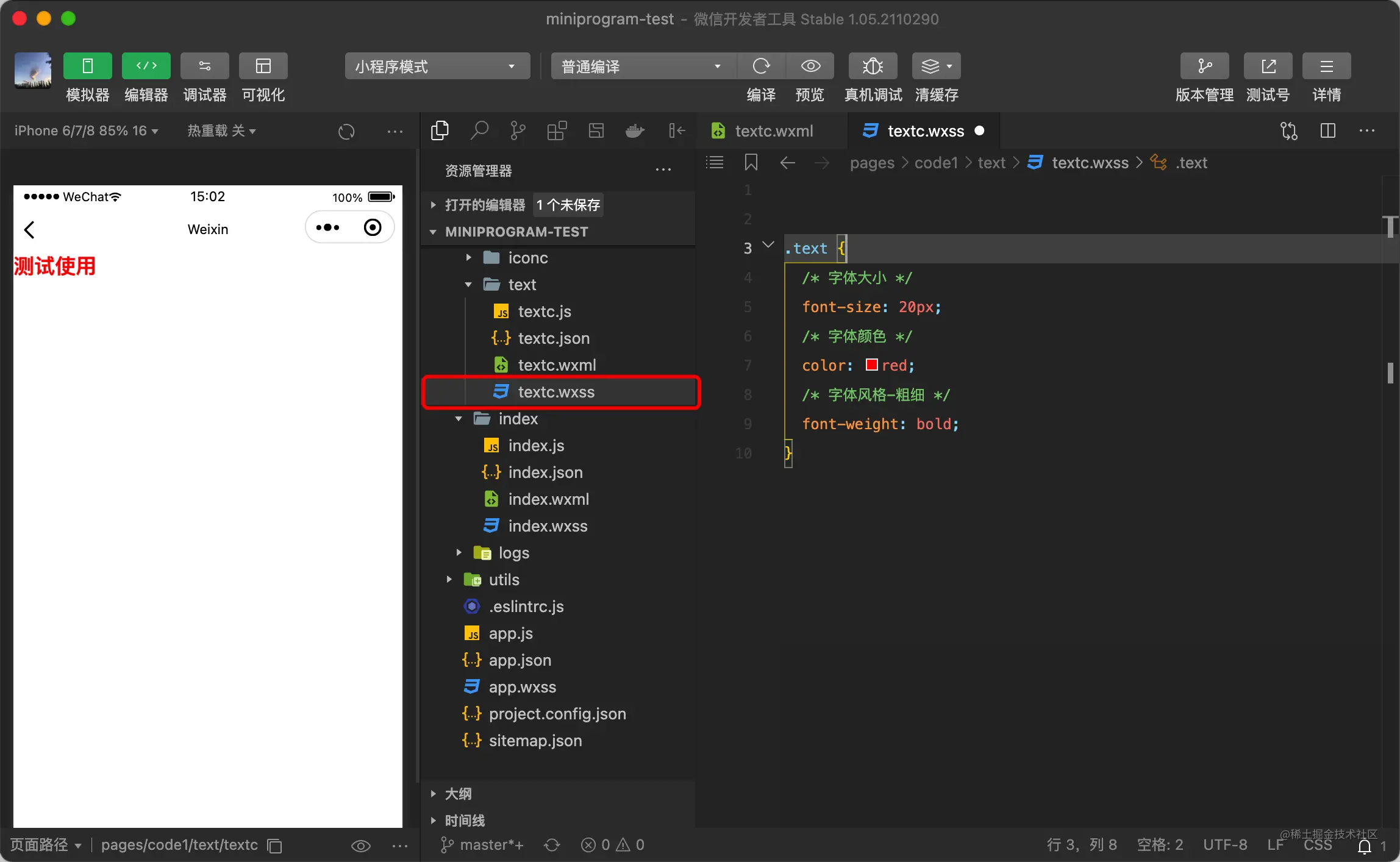
font-weight:设置文本字体的粗细。取值范围为100-900,取值:mormal:正常大小相当于400。bold :粗体,相当于700
**2、边框设置**
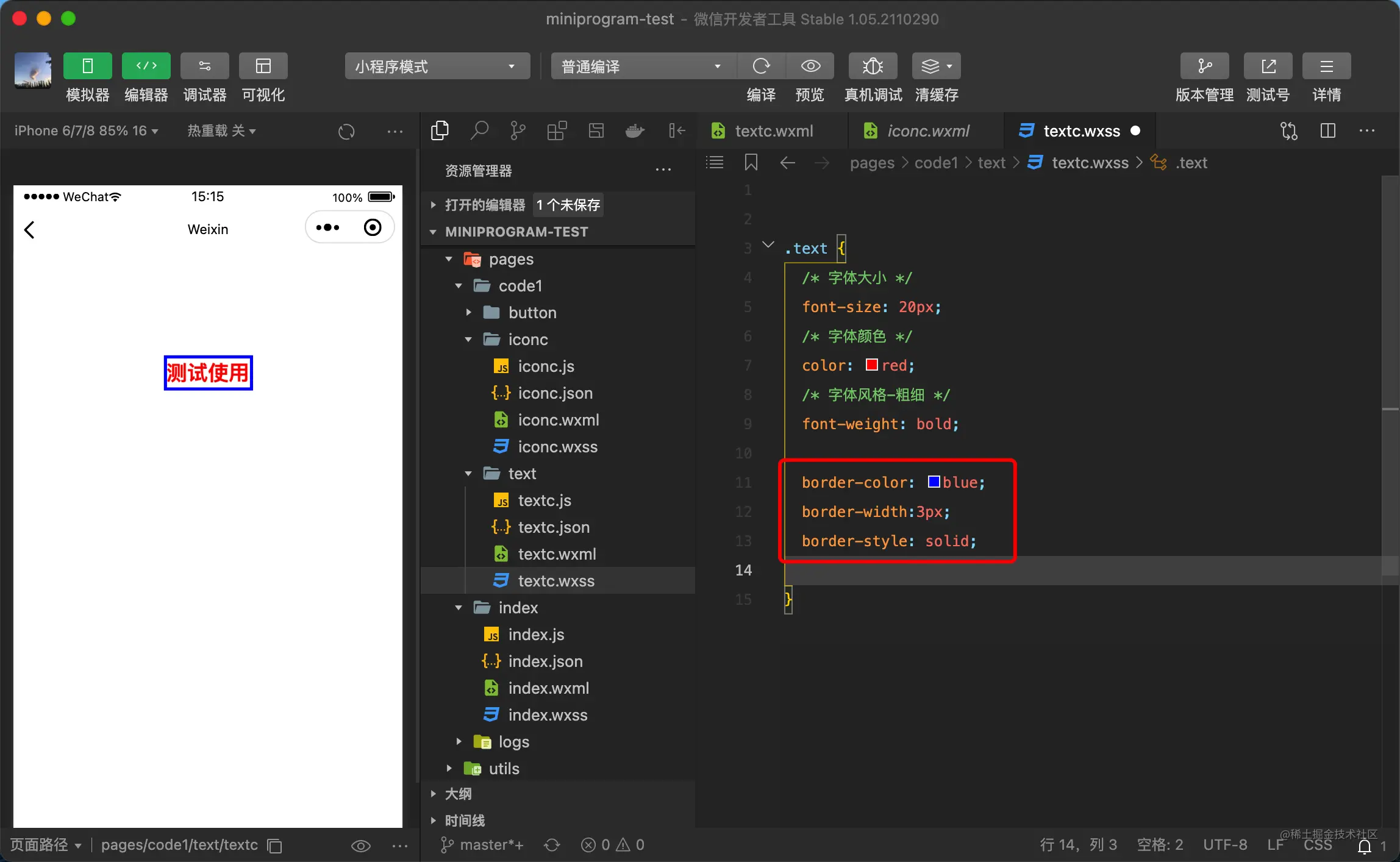
- border-width:设置边框宽度:常用取值:medium:默认值,相当于3px。thin:1px。thick:5px。不可以为负值。
- border-color:设置边框颜色。
- border-top:设置顶部边框。
- border-top-width,border-top-style,border-top-color 分别设置 宽度,样式以及颜色
- border-right:设置右边框。
- border-bottom:设置底边框。
- border-left:设置左边框
- border-radius:设置对象使用圆角边框。取值为数字或者百分比。
- border-style(边框样式)常见样式有: (border-color,border-width) 边框相关设置
dashed(虚线)| dotted(点线)| solid(实线)。
.text {
/\* 字体大小 \*/
font-size: 20px;
/\* 字体颜色 \*/
color: red;
/\* 字体风格-粗细 \*/
font-weight: bold;
border-color: blue;
border-width:3px;
border-style: solid;
}
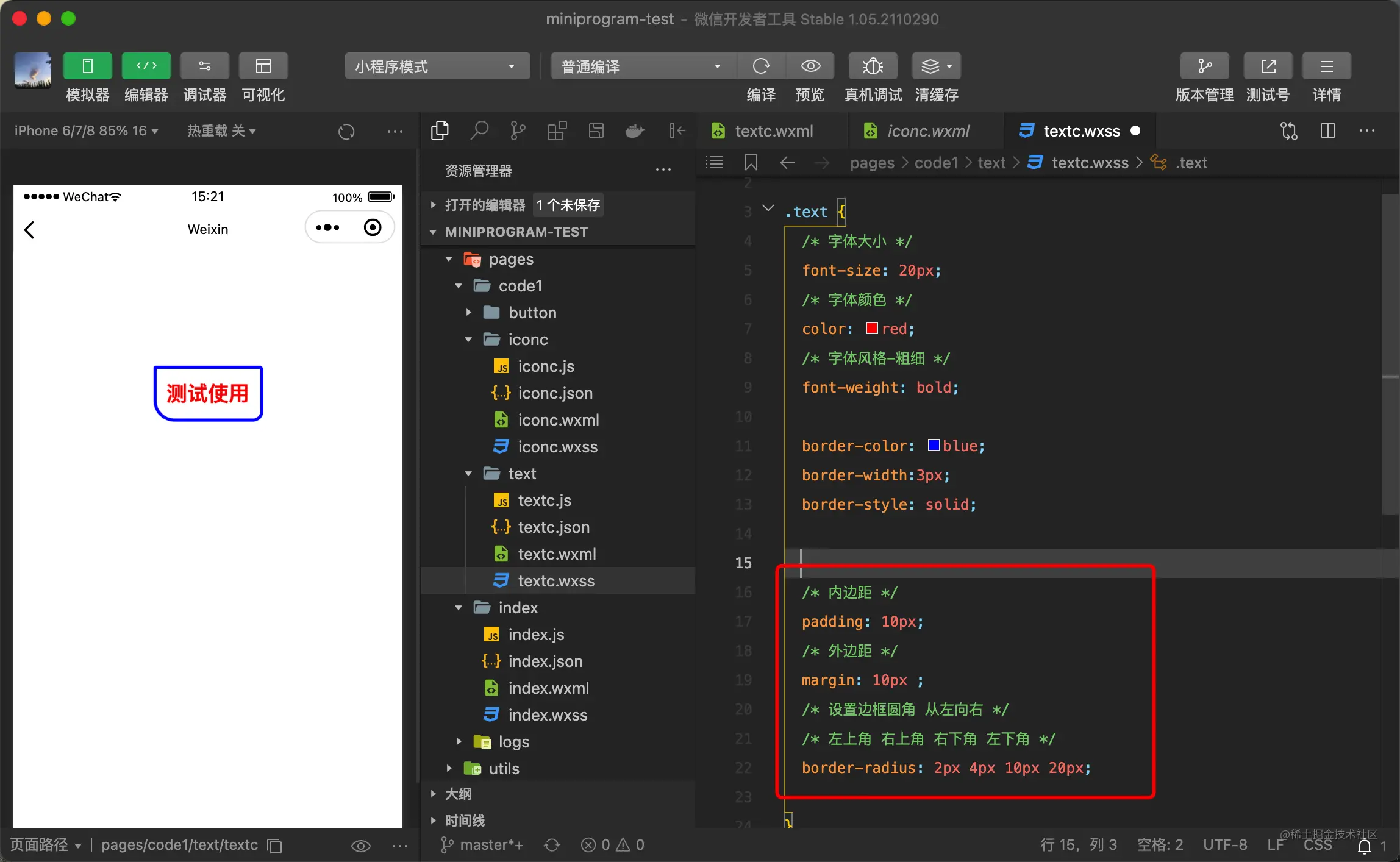
例如还可以设置一下边框圆角以及内外边距
.text {
/\* 字体大小 \*/
font-size: 20px;
/\* 字体颜色 \*/
color: red;
/\* 字体风格-粗细 \*/
font-weight: bold;
border-color: blue;
border-width:3px;
border-style: solid;
/\* 内边距 \*/
padding: 10px;
/\* 外边距 \*/
margin: 10px ;
/\* 设置边框圆角 从左向右 \*/
/\* 左上角 右上角 右下角 左下角 \*/
border-radius: 2px 4px 10px 20px;
}
**3、设置斜体**
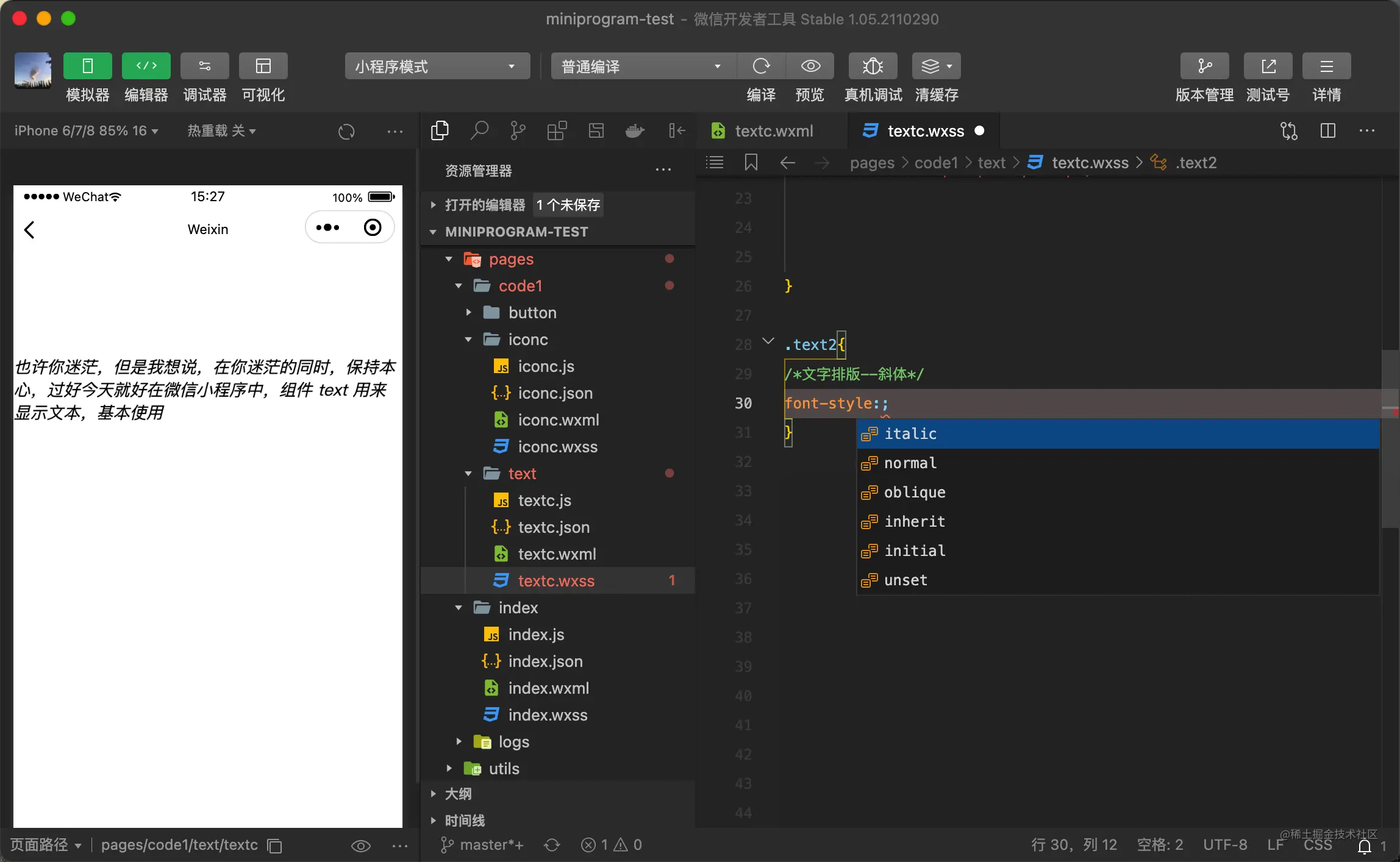
通过font-style来设置,取值:normal 正常的字体, italic 斜体字, oblique 倾斜的字体。
.text2{
/\*文字排版--斜体\*/
font-style:italic;
}
**4、设置下划线**
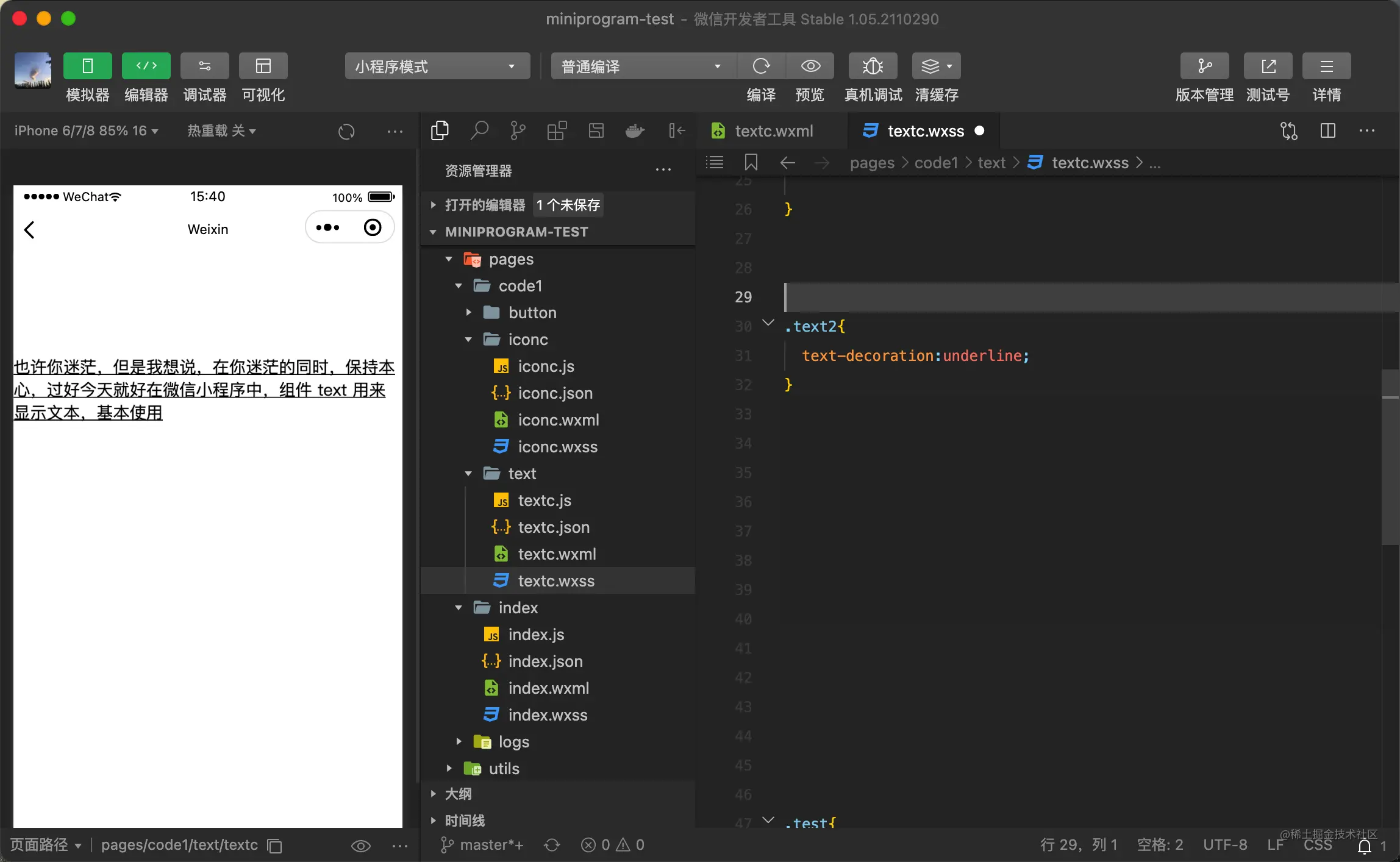
/\*下划线\*/
text-decoration:underline;
/\*删除线\*/
text-decoration:line-through;
text-decoration:line-through;
**5、长文本段落的排版**
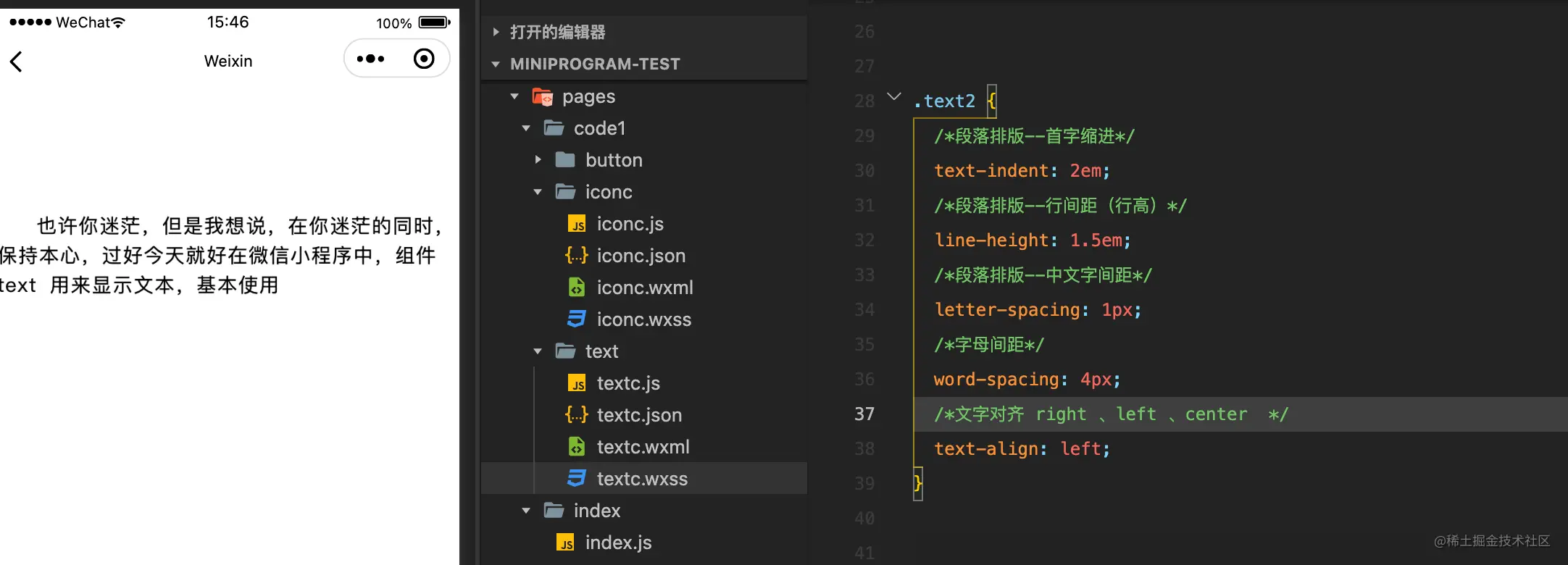
.text2 {
/\*段落排版--首字缩进\*/
text-indent: 2em;
/\*段落排版--行间距(行高)\*/
line-height: 1.5em;
/\*段落排版--中文字间距\*/
letter-spacing: 1px;
/\*字母间距\*/
word-spacing: 4px;
/\*文字对齐 right 、left 、center \*/
text-align: left;
}
【相关学习推荐:小程序开发教程】
以上就是浅析小程序中text文本组件的使用方法的详细内容,更多请关注知企PROSAAS其它相关文章!
**Tags:** border, class, 外边距, 对象, 微信小程序
**Categories:** 后端开发
---