### [深入讲解小程序中实现搜索功能的方法](https://www.prosaas.cn/article/16385)
**Published:** 2021-09-06T11:25:39
**Author:** 5201314
**Excerpt:** 小程序常见的搜索功能如何实现呢?下面本篇文章就来一步步带大家了解一下小程序中实现搜索功能的方法,希望对大家有所…
小程序常见的搜索功能如何实现呢?下面本篇文章就来一步步带大家了解一下小程序中实现搜索功能的方法,希望对大家有所帮助!

在每个小程序开发的过程中,基本上都会配备有搜索功能,那么相对智能化的搜索功能是如何实现的呢,通过一段时间的学习,我已经学会比较全面的搜索框功能,来一起看看吧!

# 开发准备
- 微信小程序
- 有赞 vant 组件库
# 效果展示

先来看看效果
# 前期准备
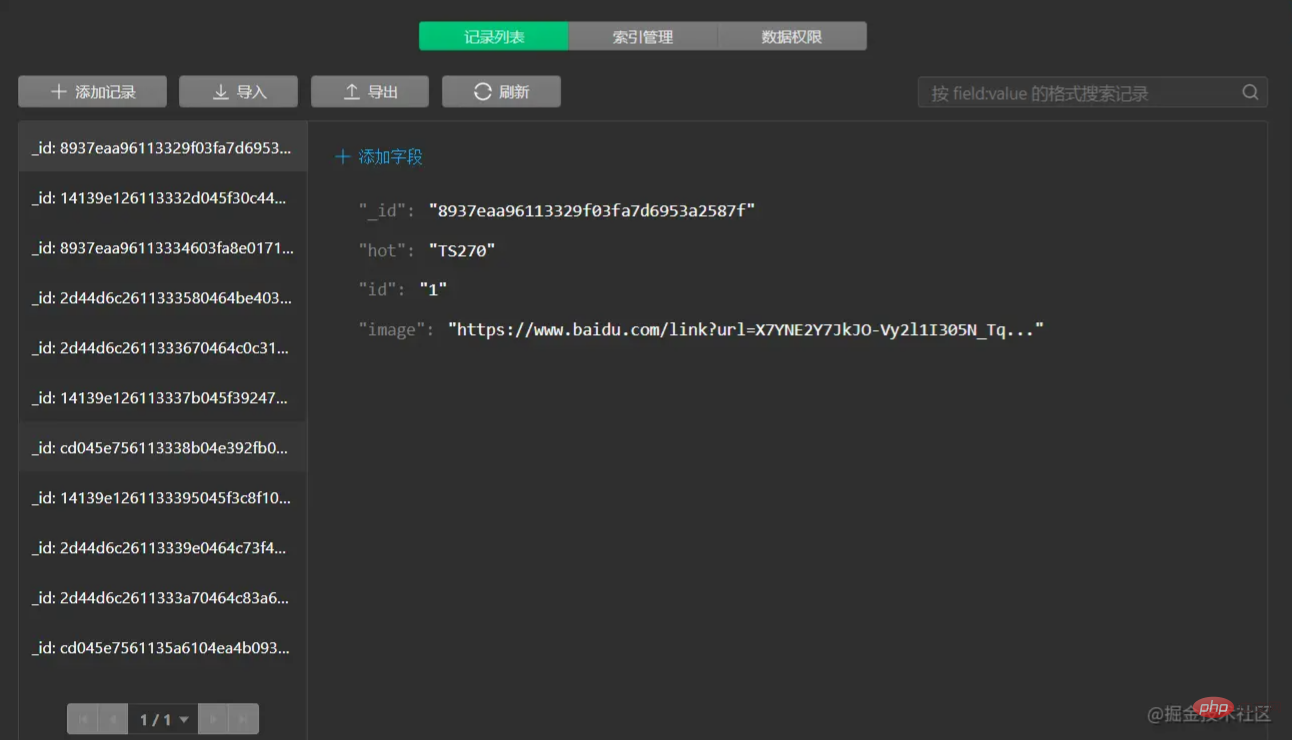
云数据库导入一些数据用来测试搜索框功能
# 实现
**在目录下面新建三个pages**
**index用来作为搜索框的第一个页面**
**search用来做具体搜索的页面**
**hotsearch是搜索内容的详情页面**
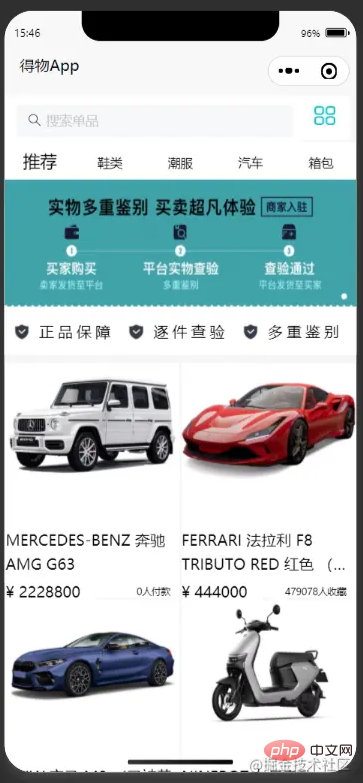
首先我们先来看看搜索框第一个页面index的布局,这里主要介绍搜索框的内容,下面的其他内容就不在这儿赘述了
这是index.wxml代码
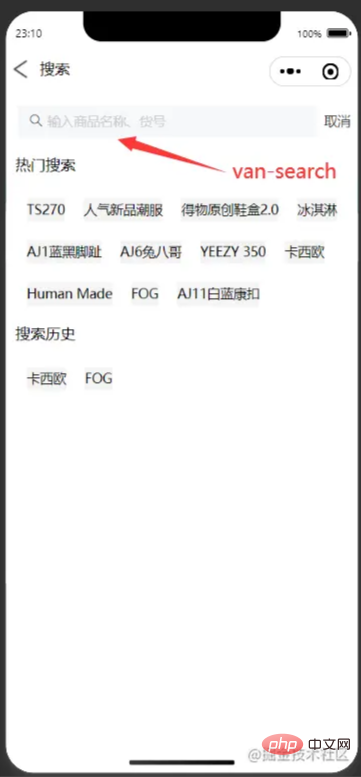
这是搜索框的search.wxml代码
搜索
热门搜索
{{item.hot}}
搜索历史
{{item.hot}}
{{item.hot}}
js里面首先要引入云数据库里的数据
const db = wx.cloud.database();
const dewuCollection = db.collection('dewu');
要做到输入框发生改变时,弹出相关的内容,则需要两个page,当输入框有内容输入时,把隐藏的页面显示出来`hidden="{{issuggest==false?'hidden':''}}"`来判断是否要出现相关内容页面,
用`indexOf`判断`e.detail`(输入框内容)是否是在云数据库里存在的,如果是存在的,那么将这条数据存入一个数组里面,并且连接之前搜索后的数组,再使用` wx.setStorageSync();`将输入框的数据存入到storage里面,然后再`wx.getStorageSync()`提取数据。
这是当输入框有数据的时候就会弹出详情页面,点击可以跳转到商品的详情页
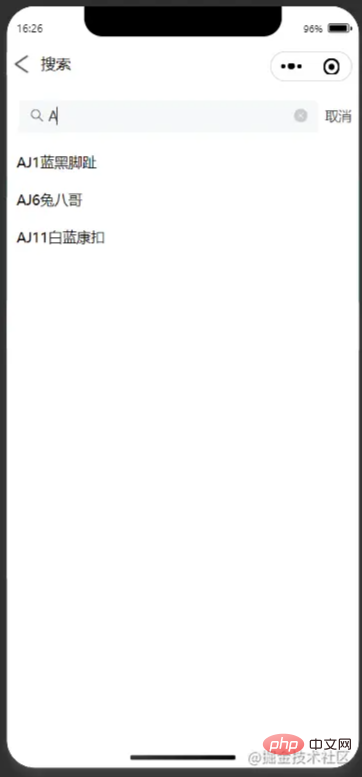
这是搜索框的逻辑
if(e.detail.length!=0){
this.setData({
issuggest:true,
})
var arr = \[\];
console.log(this.data.goods.length);
for (var i = 0; i < this.data.goods.length; i++) {
if (this.data.goods\[i\].hot.indexOf(e.detail)>=0) {
arr.push(this.data.goods\[i\]);
}
this.setData({
goods1:arr,
})
}
}
else {
console.log('succes');
this.setData({
issuggest:false
})
}
},
async onSearch(e){
var arr1=new Array();
var historyList=new Array();
var storage=new Array();
for (let i = 0; i < this.data.goods.length; i++){
if(e.detail==this.data.goods\[i\].hot){
arr1.push(this.data.goods\[i\]);
console.log(arr1);
break
}
else{
arr1.push(e.detail);
console.log(arr1);
}
}
if(arr1.length>1){
this.setData({
storage:arr1.slice(arr1.length-1,arr1.length)
})
}
else{
console.log(arr1,'要存进去的数据');
this.setData({
storage:arr1
})
}
if(this.data.historyList !=\[\]){
this.data.historyList = this.data.historyList.concat(this.data.storage);//连接
}
else{
this.data.historyList=this.data.storage
}
wx.setStorageSync('historyList', this.data.historyList);
this.setData({
historyList:this.data.historyList
})
},
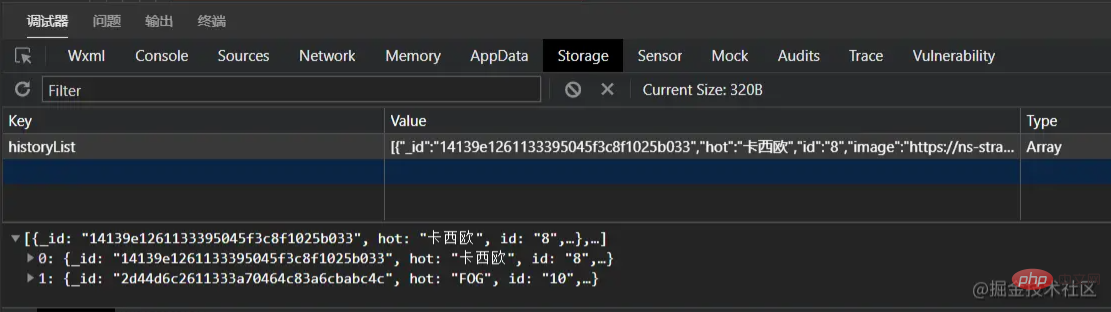
`wx.navigateTo`可以用来跳转到详细的页面,加上字符串模板,判断id的值,用数据来驱动页面,跳转到相同的页面不同的数据。
wx.navigateTo({
url: \`../hotsearch/hotsearch?id=\`+id
})
**最后还要更新数据**
wx.showLoading({
title: '数据加载中...',
})
setTimeout(()=>{
wx.hideLoading()
this.setData({
goodsNav: nav,
goodsList:List,
recommend:List,
goods2:this.data.historyList
})
},1000)
// console.log(goodsList,'===========');
},
注意不要忘记要在全局json或者局部页面json里引入需要使用的组件的地址
"usingComponents": {
"van-search":"./miniprogram\_npm/@vant/weapp/search/index"
},
# 扩展
这个自动跳转到导航栏中间的功能也是挺常用的

这是wxml代码 最主要的是 `scroll-x="true"` 让导航栏在水平方向可以滑动`scroll-with-animation="true"`是让滑动产生动画,`scroll-into-view="{{scrollTop}}"`
{{item.text}}
这是绑定在导航栏上面的事件 `let {index, type} = e.currentTarget.dataset;`提取到 index 和 type ,然后设置一个count作为前几个不动,然后拼接给`id`,把`id`的值传给`scrollTop`,让导航栏跳到`scrollTop`这个值,这个值就是在中间
console.log(e);
let {index, type} = e.currentTarget.dataset;
console.log("index=" +index, "type="+type);
this.setData({
activeNavIndex:index
})
if (type == 'recommend') {
this.setData({
goodsList: this.data.recommend
})
}
else {
let goods = this.data.recommend.filter((good) => good.camptype == type )
this.setData({
goodsList: goods
})
//console.log(this.data.goods)
}
var index1 = e.currentTarget.dataset.index;
var count = 2;
var id = "item"+(index1-count);//拼接id
if(count == 2 && index1 < 3 || count == 3 && index1 < 2 || count == 4 && index1 < 3){
id = "item0";
}
console.log("下标",index1,"---分类id名称",id)
this.setData({
scrollTop: id
})
},
这样再加上wxss后就可以达到效果了
不过这样的写有一个问题,就是当显示的内容为偶数时,如6,则不能正确的跳到正中间,会跳到3的位置,那样就有一点儿偏差,这个问题我暂时还没有解决,不知道有没有大佬知道这个怎么解决呢?
# 源码
这里有项目完整的源码,上面给出的是部分代码,如果有感兴趣的可以去看看完整源码
> https://gitee.com/xinccc/fullstack\_huoshan/tree/master/wxapp/dewu
# 总结
这是我第一次写一次稍微完整的项目,这里主要介绍了我在开发过程中遇到的主要困难,虽然总体来说没有什么难点,但是对我来说还是意义挺大的,有了一次这样的经历,让我发现了我还有很多内容需要学习,也感谢在我有困难时帮我指点迷津的老师和同学,如果你感觉这篇文章有get到你的地方,不妨给我点个赞,这将为我莫大的鼓励,各位大佬如果有什么指点的话,希望可以在评论区一起探讨学习。
更多编程相关知识,请访问:编程入门!!
以上就是深入讲解小程序中实现搜索功能的方法的详细内容,更多请关注知企PROSAAS其它相关文章!
**Tags:** animation, count, gitee, https, JS, json, 事件, 字符串, 字符串模板, 微信小程序
**Categories:** 后端开发
---