### [浅谈微信小程序搭建后台的具体步骤](https://www.prosaas.cn/article/16410)
**Published:** 2021-05-07T02:10:53
**Author:** 5201314
**Excerpt:** 本篇文章给大家介绍一下微信小程序如何搭建自己的后台。有一定的参考价值,有需要的朋友可以参考一下,希望对大家有所…
本篇文章给大家介绍一下微信小程序如何搭建自己的后台。有一定的参考价值,有需要的朋友可以参考一下,希望对大家有所帮助。
## **思路**
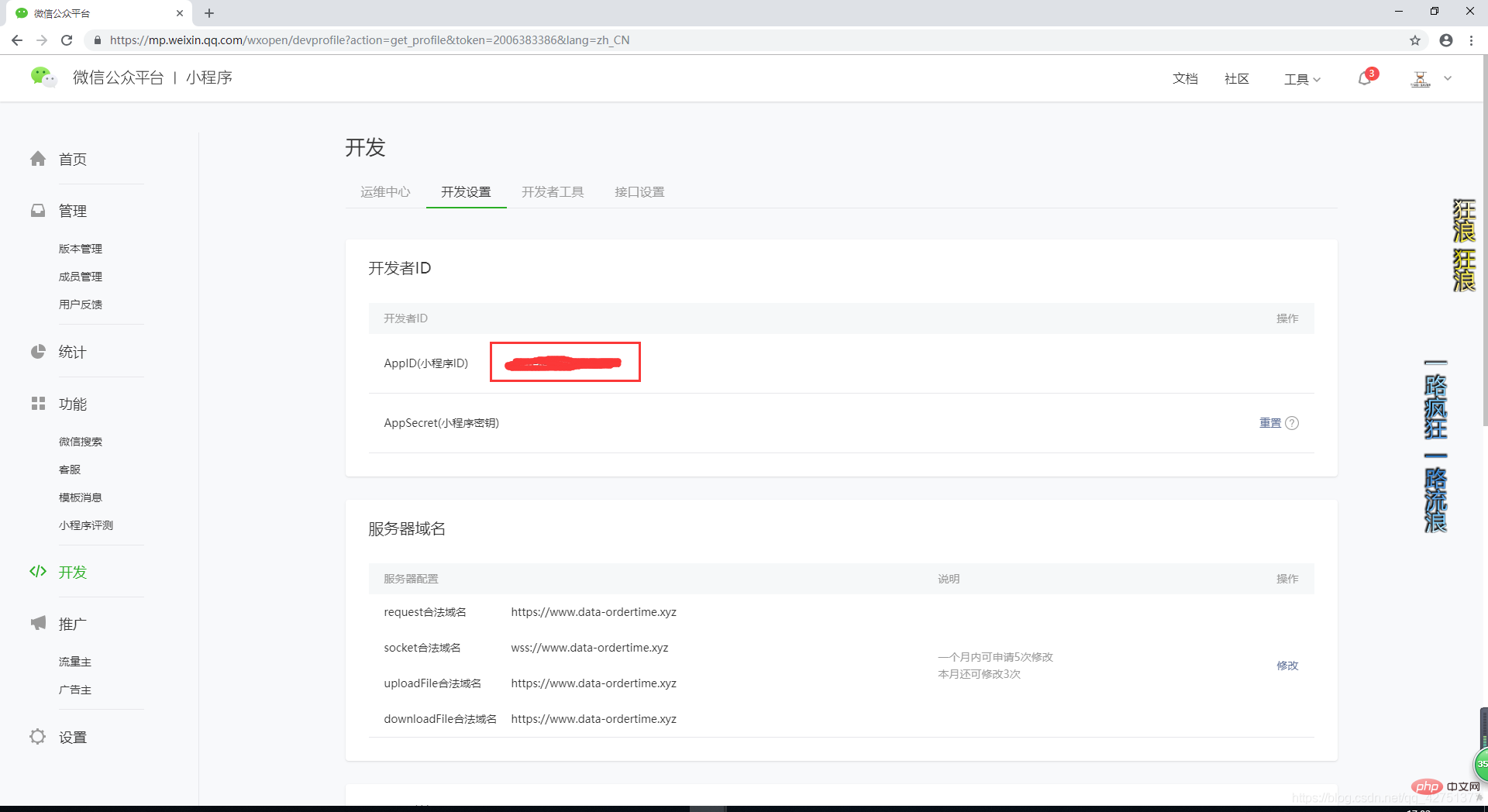
①:首先我们需要拥有自己的 AppID (有点废话了)。
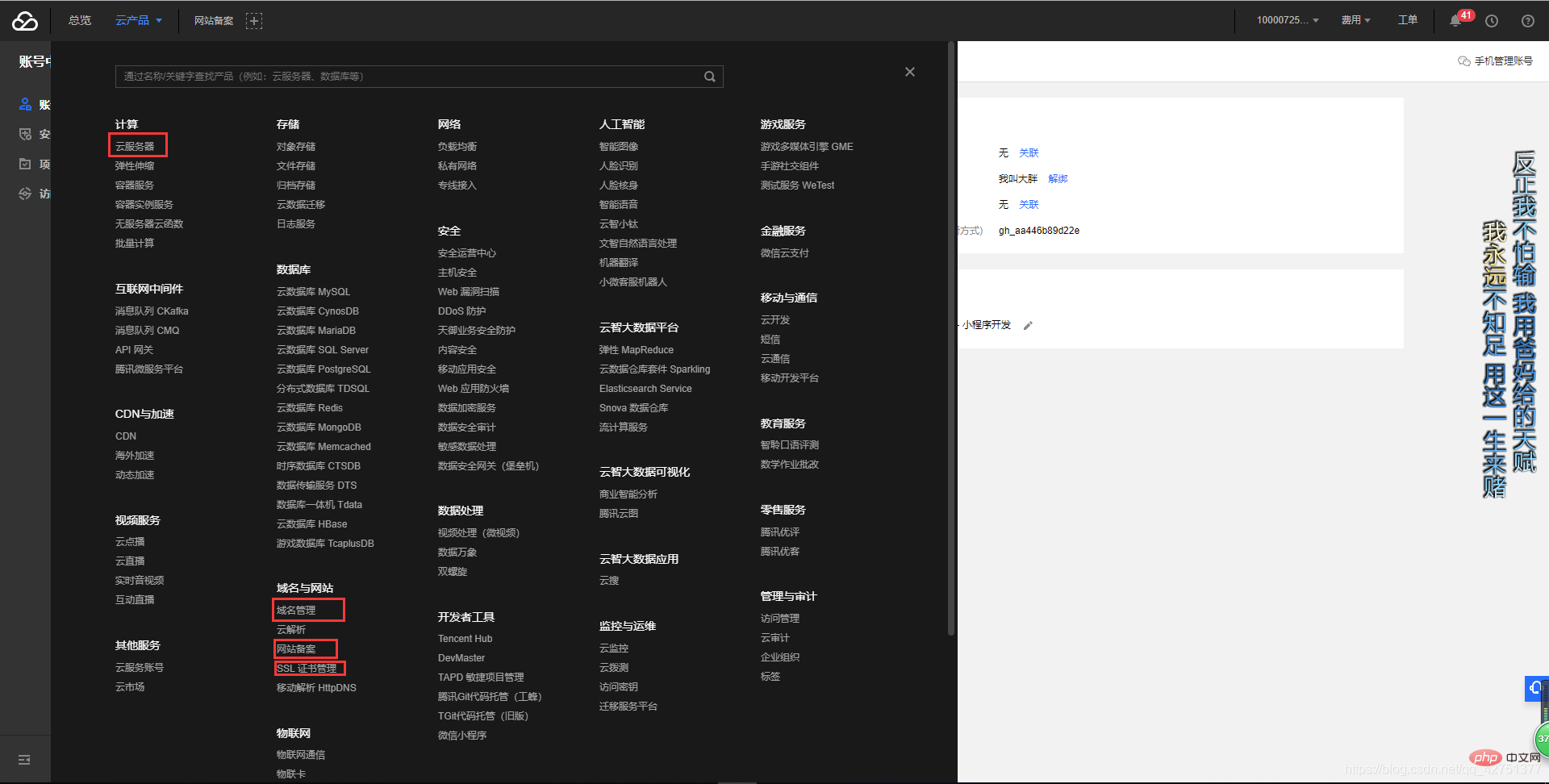
②:我们需要有一个后台,即服务器。域名(需备案)。ssl证书。(总之,我们需要通过https://www.xxxxxx.com这样的形式去访问到我们服务器)
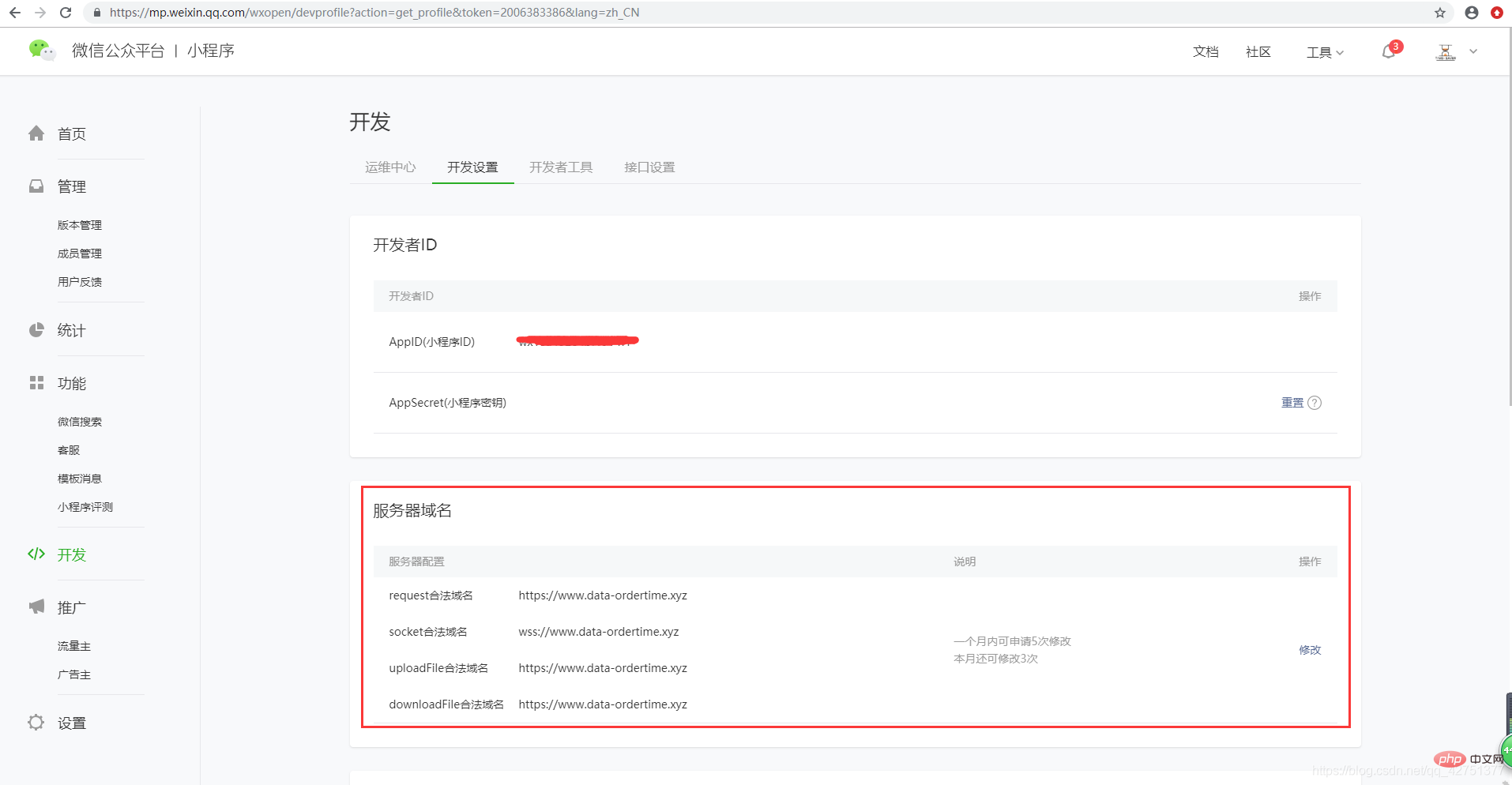
③:在微信公众平台中配置域名信息。
④:小程序端通过wx.request()函数访问我们的后台函数,后台接受小程序传来的参数,经过加工后返回给小程序值,小程序端再接收后台传来的参数并进行操作。
## **过程**
### **获取AppID:**
微信公众平台
### **服务器、域名(需备案)、ssl证书(可免费申请):**
楼主这里用的是腾讯云服务器:腾讯云
### **域名备案:**
域名备案
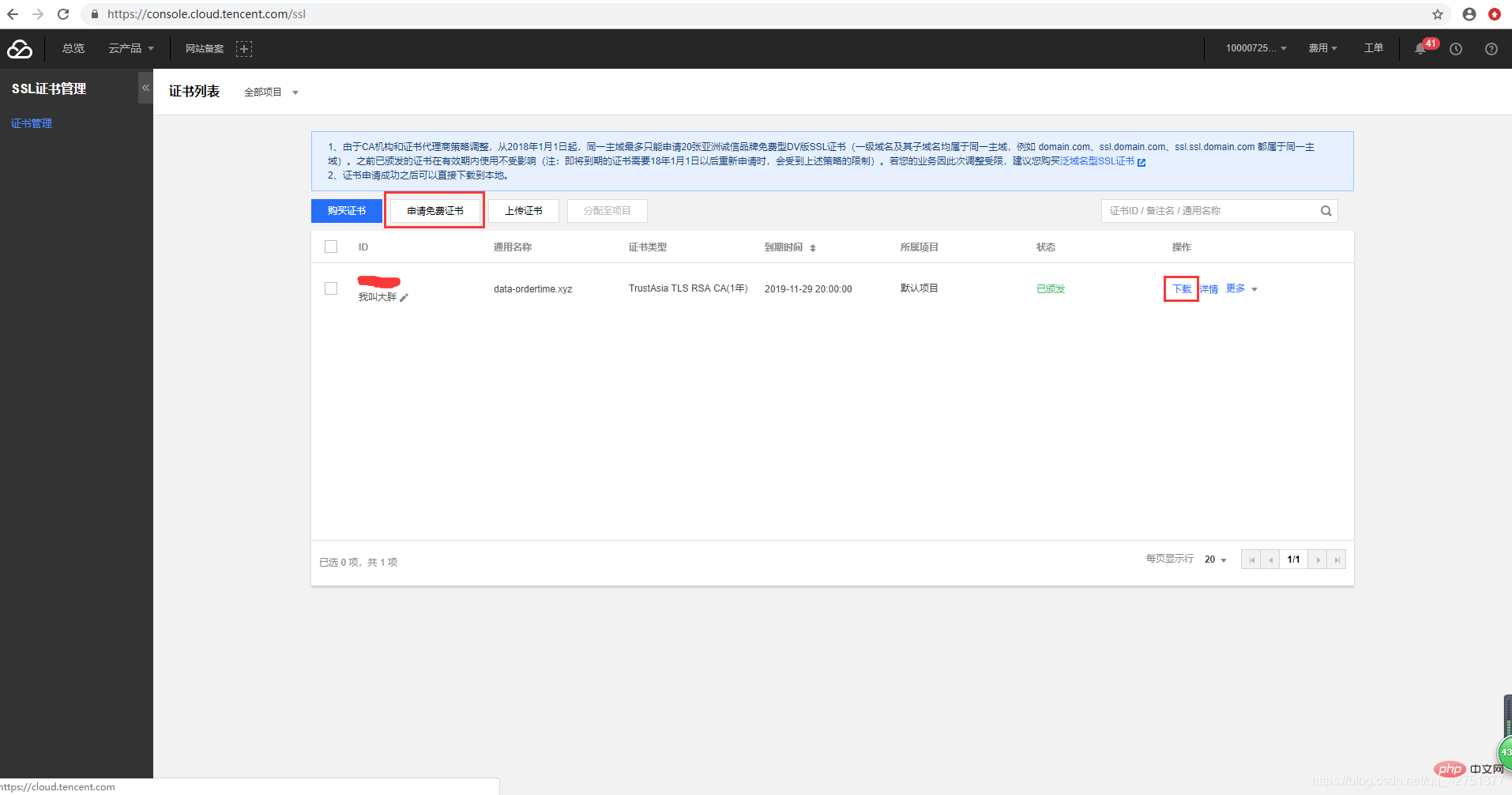
### **SSL证书(申请与安装配置):**
证书申请
**安装配置**(楼主这里是windows+Apache环境下配置SSL证书,如有其它环境安装,可以参考证书安装):
将你的SSL证书下载下来,将Apache文件夹下的3个文件放到Apache目录下的conf文件夹里
在你的Apache目录中找到\\conf\\httpd.conf并打开,找到如下两行,将这两行前面的注释符号 # 去掉。(如果没有,直接把#号去掉插入文件中)
\# LoadModule ssl\_module modules/mod\_ssl.so
# Include conf/extra/httpd-ssl.conf
在你的Apache目录中找到\\conf\\extra\\httpd-ssl.conf,在文件最后面找到 与
用下列代码替代这两行之间的所有代码(请将代码中及其后面的文字删掉):
DocumentRoot "C:\\AppServ\\www" 你的网站物理地址,即访问你的域名你想展示的页面
ServerName www.data-ordertime.xyz 你的网站域名
ServerAlias data-ordertime.xyz 你的网站域名 不加www
ServerAdmin 1910722307@qq.com 你的邮箱
DirectoryIndex index.html index.htm index.php default.php app.php u.php
ErrorLog logs/example\_error.log
CustomLog logs/example\_access.log \\
"%t %h %{SSL\_PROTOCOL}x %{SSL\_CIPHER}x \\"%r\\" %b"
SSLEngine on
SSLCertificateFile conf/2\_data-ordertime.xyz.crt 你申请的证书文件的地址
SSLCertificateKeyFile conf/3\_data-ordertime.xyz.key 你申请的key文件的地址
SSLOptions +StdEnvVars
AllowOverride All
Require all granted
SSLOptions +StdEnvVars
BrowserMatch "MSIE \[2-5\]" \\
nokeepalive ssl-unclean-shutdown \\
downgrade-1.0 force-response-1.0
### **微信公众平台中配置域名信息:**
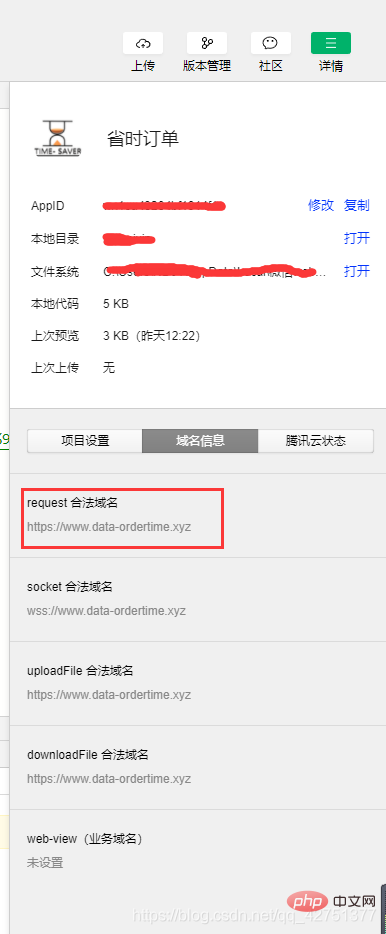
此时,在微信开发者工具中该域名会认为是安全可用域名(注意,我们是为了下面二图中项目设置中 不校验合法域名 选项不被勾上也可以访问我们的后台,因为我们域名理论上的安全(http与https的差异))
### **小Demo测试一下(楼主这里使用的为PHP后台):**
微信开发者工具中写入如下代码,
index.js
//index.js
Page({
data: {
},
ceshifuwuqi:function(){
var that = this
wx.request({
url: \`https://www.data-ordertime.xyz/wxdemo.php\`,//你的后台url地址
data:{
name:'超超1号'
},
header: {
'content-type': 'application/x-www-form-urlencoded'
},
method: "GET",
success(result) {
console.log(result);
that.setData({
demo: result.data
})
},
fail(error) {
util.showModel('请求失败', error);
console.log('request fail', error);
}
})
},
})
index.wxml
点击测试服务器
{{demo}}
后台代码: