### [微信小程序开发之实现选项卡的页面切换](https://www.prosaas.cn/article/17390)
**Published:** 2018-06-23T07:42:21
**Author:** 5201314
**Excerpt:** 本篇文章主要介绍了微信小程序开发之选项卡(窗口顶部TabBar)页面切换,具有一定的参考价值,有需要的可以了解…
本篇文章主要介绍了微信小程序开发之选项卡(窗口顶部TabBar)页面切换,具有一定的参考价值,有需要的可以了解一下。
微信小程序开发中选项卡.在Android中选项卡一般用fragment,到了小程序这里瞬间懵逼了.
总算做出来了.分享出来看看.
先看效果:
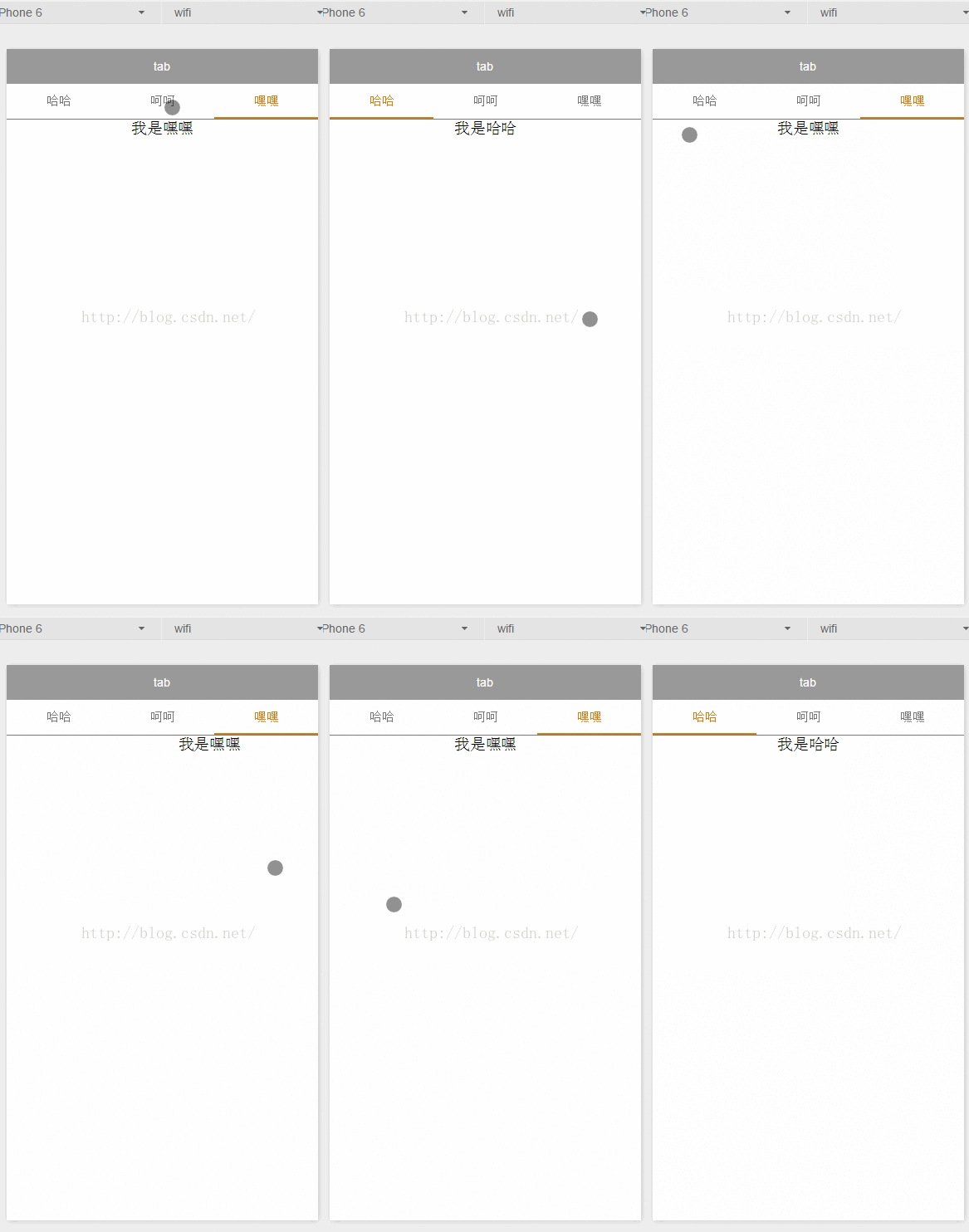
再上代码:
1.index.wxml
哈哈
呵呵
嘿嘿
我是哈哈
我是呵呵
我是嘿嘿
2.indexwxss
/\*\*indexwxss\*\*/
swiper-tab{
width: 100%;
border-bottom: 2rpx solid #777777;
text-align: center;
line-height: 80rpx;}
swiper-tab-list{ font-size: 30rpx;
display: inline-block;
width: 33%;
color: #777777;
}
on{ color: #da7c0c;
border-bottom: 5rpx solid #da7c0c;}
swiper-box{ display: block; height: 100%; width: 100%; overflow: hidden; }
swiper-box view{
text-align: center;
}
3.index.js
//index.js
//获取应用实例
var app = getApp()
Page( {
data: {
/\*\*
\* 页面配置
\*/
winWidth: 0,
winHeight: 0,
// tab切换
currentTab: 0,
},
onLoad: function() {
var that = this;
/\*\*
\* 获取系统信息
\*/
wxgetSystemInfo( {
success: function( res ) {
thatsetData( {
winWidth: reswindowWidth,
winHeight: reswindowHeight
});
}
});
},
/\*\*
\* 滑动切换tab
\*/
bindChange: function( e ) {
var that = this;
thatsetData( { currentTab: edetailcurrent });
},
/\*\*
\* 点击tab切换
\*/
swichNav: function( e ) {
var that = this;
if( thisdatacurrentTab === etargetdatasetcurrent ) {
return false;
} else {
thatsetData( {
currentTab: etargetdatasetcurrent
})
}
}
})
这样一个类似viewpage的顶部选项卡就出来了.
以上就是本文的全部内容,希望对大家的学习有所帮助,更多相关内容请关注PHP中文网!
相关推荐:
微信小程序的页面跳转传值的实现
微信小程序
textarea 的使用方法
微信小程序
监听手势滑动切换页面的实现
以上就是微信小程序开发之实现选项卡的页面切换的详细内容,更多请关注知企PROSAAS其它相关文章!
**Tags:** android, JS, php, 微信小程序
**Categories:** 后端开发
---