### [小程序:post请求](https://www.prosaas.cn/article/17545)
**Published:** 2018-05-26T06:19:39
**Author:** 5201314
**Excerpt:** 按照文档,肯定是这么写.那就入坑了.1. 'Content-Type': 'application/json'…
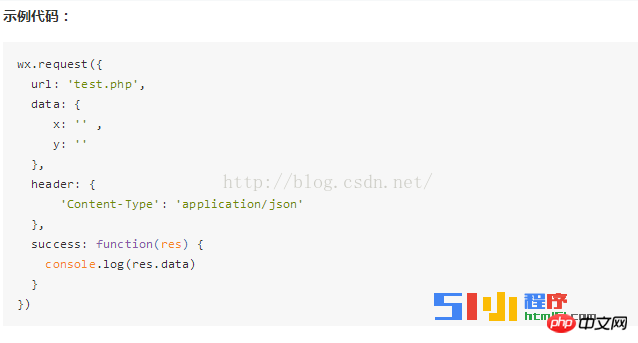
按照文档,肯定是这么写.那就入坑了.
1\. 'Content-Type': 'application/json'用在get请求中没问题.
POST请求就不好使了.需要改成: "Content-Type": "application/x-www-form-urlencoded"
2\. 加上method: "POST"
3.data: { cityname: "上海", key: "1430ec127e097e1113259c5e1be1ba70" }写成json格式这样也是请求不到数据的.需要转格式.
下面直接贴代码:
3.1
//index.js
//获取应用实例
var app = getApp()
Page( {
data: {
toastHidden: true,
city\_name: '',
},
onLoad: function() {
that = this;
wx.request( {
url: "http://op.juhe.cn/onebox/weather/query",
header: {
"Content-Type": "application/x-www-form-urlencoded"
},
method: "POST",
//data: { cityname: "上海", key: "1430ec127e097e1113259c5e1be1ba70" },
data: Util.json2Form( { cityname: "上海", key: "1430ec127e097e1113259c5e1be1ba70" }),
complete: function( res ) {
that.setData( {
toastHidden: false,
toastText: res.data.reason,
city\_name: res.data.result.data.realtime.city\_name,
date: res.data.result.data.realtime.date,
info: res.data.result.data.realtime.weather.info,
});
if( res == null || res.data == null ) {
console.error( '网络请求失败' );
return;
}
}
})
},
onToastChanged: function() {
that.setData( { toastHidden: true });
}
})
var that;
var Util = require( '../../utils/util.js' );
3.2
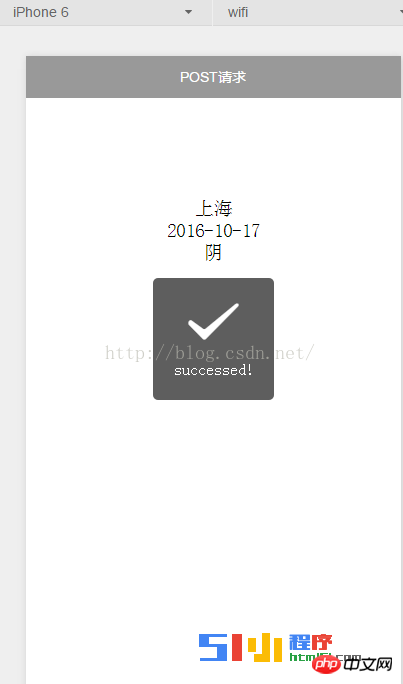
{{toastText}}
{{city\_name}}
{{date}}
{{info}}
3.3
//util.js
function json2Form(json) {
var str = \[\];
for(var p in json){
str.push(encodeURIComponent(p) + "=" + encodeURIComponent(json\[p\]));
}
return str.join("&");
}
module.exports = {
json2Form:json2Form,
}
评论部分:
又试了几个接口,部分可以提交数据.应该是个bug.只能等官方正式版本了.
我刚才用其他的post请求也不行.但是这个确实拿到数据了.你试试看,接口地址:http://op.juhe.cn/onebox/weather/query 两个参数,cityname,key.cityname随便写城市名字,key是我申请的,key=1430ec127e097e1113259c5e1be1ba70 我明天再研究下.看看是为什么其他的不行.
更多小程序:post请求相关文章请关注PHP中文网!
**Tags:** bug, http, json, php, 接口
**Categories:** 后端开发
---