### [微信小程序实现动态改变view标签宽度和高度的方法](https://www.prosaas.cn/article/17633)
**Published:** 2018-05-12T08:51:10
**Author:** 5201314
**Excerpt:** 本文主要介绍微信小程序实现动态改变view标签宽度和高度的方法,涉及微信小程序事件响应及使用setData针对…
本文主要介绍微信小程序实现动态改变view标签宽度和高度的方法,涉及微信小程序事件响应及使用setData针对data数据动态操作相关实现技巧,希望能帮助到大家。
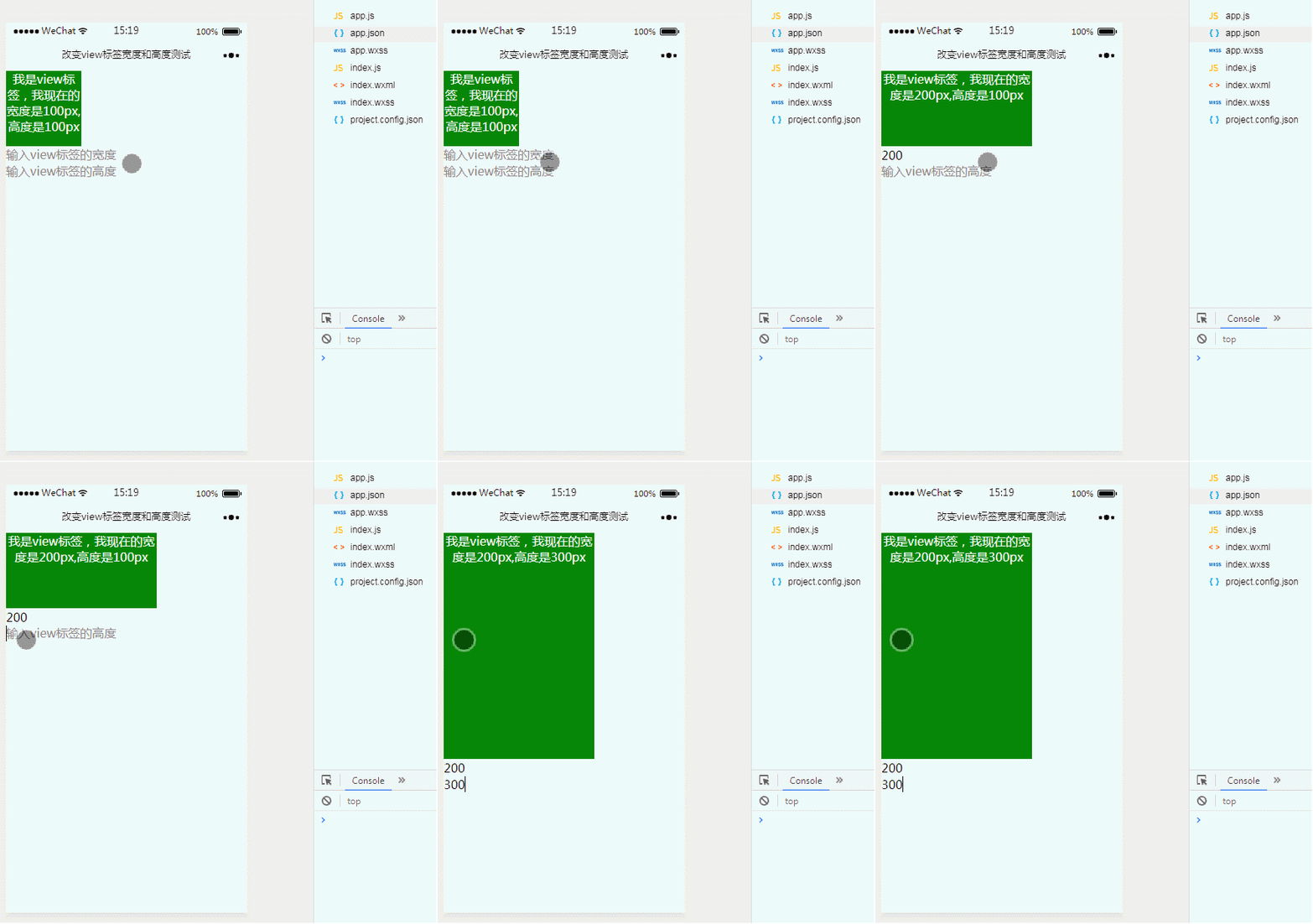
**1、效果展示**
**2、关键代码**
index.wxml文件
我是view标签,我现在的宽度是{{view.Width}}px,高度是{{view.Height}}px
此处设置的`style="width:{{view.Width}}px;height:{{view.Height}}px;"`可通过事件响应动态改变数值,进而改变view组件的宽高样式。
index.js文件
var pageData={}
pageData.data={
view:{
Width:100,
Height:100
}
}
pageData\['viewWidth'\]=function(e){
console.log(e);
this.setData({
view:{
Width:e.detail.value,
Height:this.data.view.Height
}
})
}
pageData\['viewHeight'\]=function(e){
this.setData({
view:{
Width:this.data.view.Width,
Height:e.detail.value
}
})
}
Page(pageData)
以上内容就是微信小程序实现动态改变view标签宽度和高度的方法,希望能帮助到大家。
相关推荐:
微信小程序中关于movable-view移动图片与双指缩放的实例详解
jQuery使用uploadView如何实现图片预览上传功能的实例
浅谈View组件实例详解
以上就是微信小程序实现动态改变view标签宽度和高度的方法的详细内容,更多请关注知企PROSAAS其它相关文章!
**Categories:** 后端开发
---