### [小程序使用.getImageInfo()获取图片信息](https://www.prosaas.cn/article/17677)
**Published:** 2018-03-23T03:00:28
**Author:** 5201314
**Excerpt:** 这次给大家带来小程序使用.getImageInfo()获取图片信息,小程序使用.getImageInfo()获…
这次给大家带来小程序使用.getImageInfo()获取图片信息,小程序使用.getImageInfo()获取图片信息的注意事项有哪些,下面就是实战案例,一起来看一下。
本文实例为大家分享了Android九宫格图片展示的具体代码,供大家参考,具体内容如下
**一.知识点**

**二.列子**
(1).加载时
图片的大小:{{imgwidth}}px\*{{imgheight}}px
var app = getApp()
Page({
data: {
tempFilePaths: '../uploads/foods.jpg',
imgwidth:0,
imgheight:0,
},
onReady:function(){
// 页面渲染完成
var \_this = this;
wx.getImageInfo({
src: \_this.data.tempFilePaths,
success: function (res) {
\_this.setData({
imgwidth:res.width,
imgheight:res.height,
})
}
})
}
})
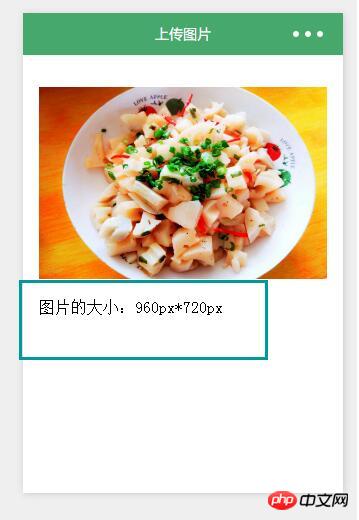
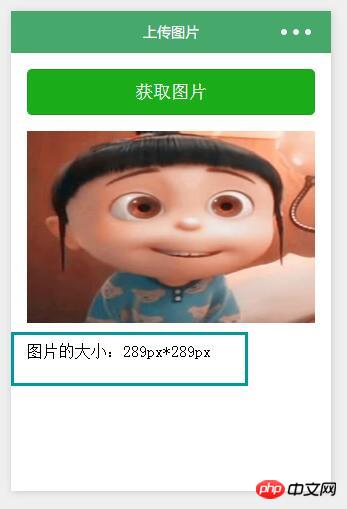
(2).上传图片时
图片的大小:{{imgwidth}}px\*{{imgheight}}px
.zn-uploadimg{
padding:1rem;
}
.zn-uploadimg image{
margin:1rem 0;
}
var app = getApp()
Page({
data: {
tempFilePaths: '',
imgwidth:0,
imgheight:0,
},
/\*\*
\* 上传图片
\*/
chooseimage: function () {
var \_this = this;
wx.chooseImage({
count: 1, // 默认9
sizeType: \['original', 'compressed'\], // 可以指定是原图还是压缩图,默认二者都有
sourceType: \['album', 'camera'\], // 可以指定来源是相册还是相机,默认二者都有
success: function (res) {
// 返回选定照片的本地文件路径列表,tempFilePath可以作为img标签的src属性显示图片
\_this.setData({
tempFilePaths:res.tempFilePaths
})
wx.getImageInfo({
src: res.tempFilePaths\[0\],
success: function (res) {
\_this.setData({
imgwidth:res.width,
imgheight:res.height,
})
}
})
}
})
}
})
相信看了本文案例你已经掌握了方法,更多精彩请关注知企PROSAAS其它相关文章!
推荐阅读:
怎样开发微信小程序获取用户个人信息
Vue2.5与Element UI的组件分页功能实现
微信小程序的多文件下载封装使用
jquery动态添加和遍历option的方法
以上就是小程序使用.getImageInfo()获取图片信息的详细内容,更多请关注知企PROSAAS其它相关文章!
**Categories:** 后端开发
---