### [微信小程序列表开发详解](https://www.prosaas.cn/article/17713)
**Published:** 2018-03-17T05:23:26
**Author:** 5201314
**Excerpt:** 本文主要和大家分享微信小程序列表开发详解,主要以代码的形式和大家分享,希望能帮助到大家。一.知识点(一).列表…
本文主要和大家分享微信小程序列表开发详解,主要以代码的形式和大家分享,希望能帮助到大家。
一.知识点
(一).列表渲染 wx:for
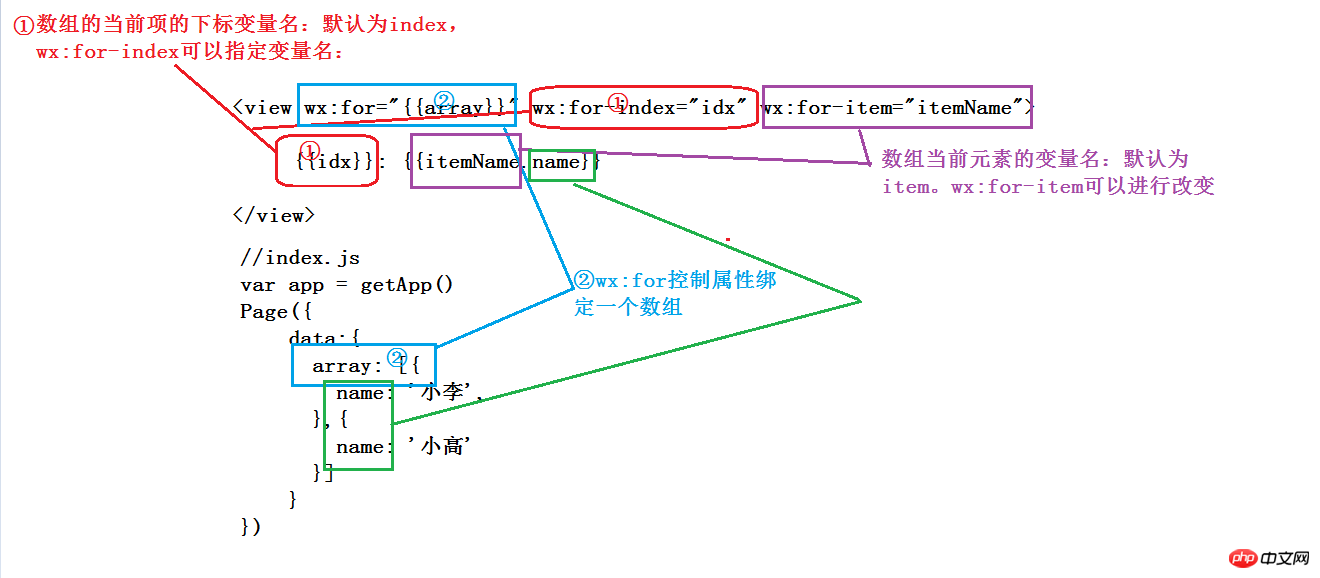
tip:wx:for=“array”可以等于参数名,在js中调用
Page({ data:{
array: \[{name: '小李'},{ name: '小高'}\]}
}),获取值;也可以直接把wx:for="{{\[1, 2, 3\]}}",把值放在上面
1.在组件上使用wx:for控制属性绑定一个数组,即可使用数组中各项的数据重复渲染该组件。
默认数组的当前项的下标变量名默认为index,数组当前项的变量名默认为item
{{index}}: {{item.message}}
var app = getApp()
Page({
data:{
items: \[{
message: 'foo',
},{
message: 'bar'
}\]
}
})
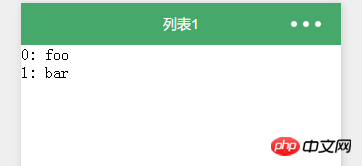
首先在wxml文件中wx:for后面的双重大括号中的items是一个数组,数组的元素如js中所见,在wx:for下面{{index}}:{{item.arry}}中index是items数组的下标,item.arry是数组中的元素也即是“a”和“b”。
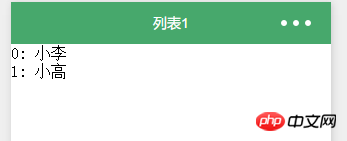
2.使用wx:for-item可以指定数组当前元素的变量名。使用wx:for-index可以指定数组当前下标的变量名:
{{idx}}: {{itemName.name}}
var app = getApp()
Page({
data:{
array: \[{
name: '小李',
},{
name: '小高'
}\]
}
})
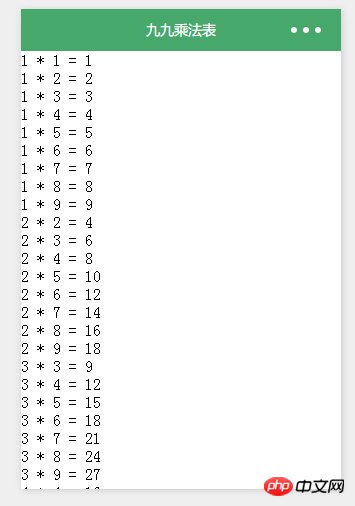
3.wx:for也可以嵌套
{{i}} \* {{j}} = {{i \* j}}
都不需要js
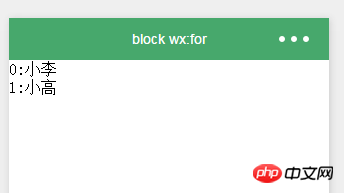
(二).block wx:for
类似block wx:if,也可以将wx:for用在标签上,以渲染一个包含多节点的结构块。
{{index}}:{{item.name}}
var app = getApp()
Page({
data:{
array: \[{
name: '小李',
},{
name: '小高'
}\]
}
})
(三).wx:key
如果列表中项目的位置会动态改变或者有新的项目添加到列表中,并且希望列表中的项目保持自己的特征和状态(如 中的输入内容, 的选中状态),需要使用 wx:key 来指定列表中项目的唯一的标识符。
1. 字符串,代表在 for 循环的 array 中 item 的某个 property,该 property 的值需要是列表中唯一的字符串或数字,且不能动态改变。
2. 保留关键字 \*this 代表在 for 循环中的 item 本身,这种表示需要 item 本身是一个唯一的字符串或者数字,如:
如不提供 wx:key,会报一个 warning,
如果明确知道该列表是静态,或者不必关注其顺序,可以选择忽略。
二.案例
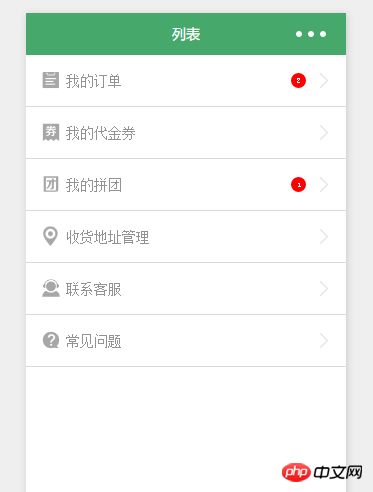
1.用户中心列表
{{item.text}}
{{item.unreadNum}}
/\*\*list.wxss\*\*/
.weui\_cell {
position: relative;
display: flex;
padding: 15px;
-webkit-box-align: center;
-ms-flex-align: center;
align-items: center;
border-bottom: 1px solid #dadada;
}
.weui\_cell\_hd {
display: inline-block;
width: 20px;
margin-right: 5px;
}
.weui\_cell\_hd image {
width: 100%;
height: 20px;
vertical-align: -2px;
}
.weui\_cell\_bd {
display: inline-block;
}
.weui\_cell\_bd\_p {
font-size: 14px;
color: #939393;
}
.badge {
position: absolute;
top: 18px;
right: 40px;
width: 15px;
height: 15px;
line-height: 15px;
background: #ff0000;
color: #fff;
border-radius: 50%;
text-align: center;
font-size: 8px;
}
.with\_arrow {
position: absolute;
top: 18px;
right: 15px;
width: 15px;
height: 15px;
background-image: url(../../dist/images/icon-arrowdown.png);
background-repeat: no-repeat;
background-size: 100% 100%;
}
//list.js
var app = getApp()
Page( {
data: {
userInfo: {},
userListInfo: \[ {
icon: '../../dist/images/iconfont-dingdan.png',
text: '我的订单',
isunread: true,
unreadNum: 2
}, {
icon: '../../dist/images/iconfont-card.png',
text: '我的代金券',
isunread: false,
unreadNum: 2
}, {
icon: '../../dist/images/iconfont-icontuan.png',
text: '我的拼团',
isunread: true,
unreadNum: 1
}, {
icon: '../../dist/images/iconfont-shouhuodizhi.png',
text: '收货地址管理'
}, {
icon: '../../dist/images/iconfont-kefu.png',
text: '联系客服'
}, {
icon: '../../dist/images/iconfont-help.png',
text: '常见问题'
}\]
},
onLoad: function() {
var that = this
//调用应用实例的方法获取全局数据
app.getUserInfo( function( userInfo ) {
//更新数据
that.setData( {
userInfo: userInfo
})
})
}
})
相关推荐:
微信小程序实现image图片自适应宽度
微信小程序开发录音机、音频播放、动画
微信小程序开发弹出框实现方法
以上就是微信小程序列表开发详解的详细内容,更多请关注知企PROSAAS其它相关文章!
**Categories:** 后端开发
---