### [微信小程序YDUI的ScrollNav组件实现滚动导航效果](https://www.prosaas.cn/article/17740)
**Published:** 2018-02-03T01:17:51
**Author:** 5201314
**Excerpt:** 本文主要为大家详细介绍了微信小程序实现YDUI的ScrollNav组件,滚动导航效果,具有一定的参考价值,感兴…
本文主要为大家详细介绍了微信小程序实现YDUI的ScrollNav组件,滚动导航效果,具有一定的参考价值,感兴趣的小伙伴们可以参考一下,希望能帮助到大家。
DEMO下载
**效果图**
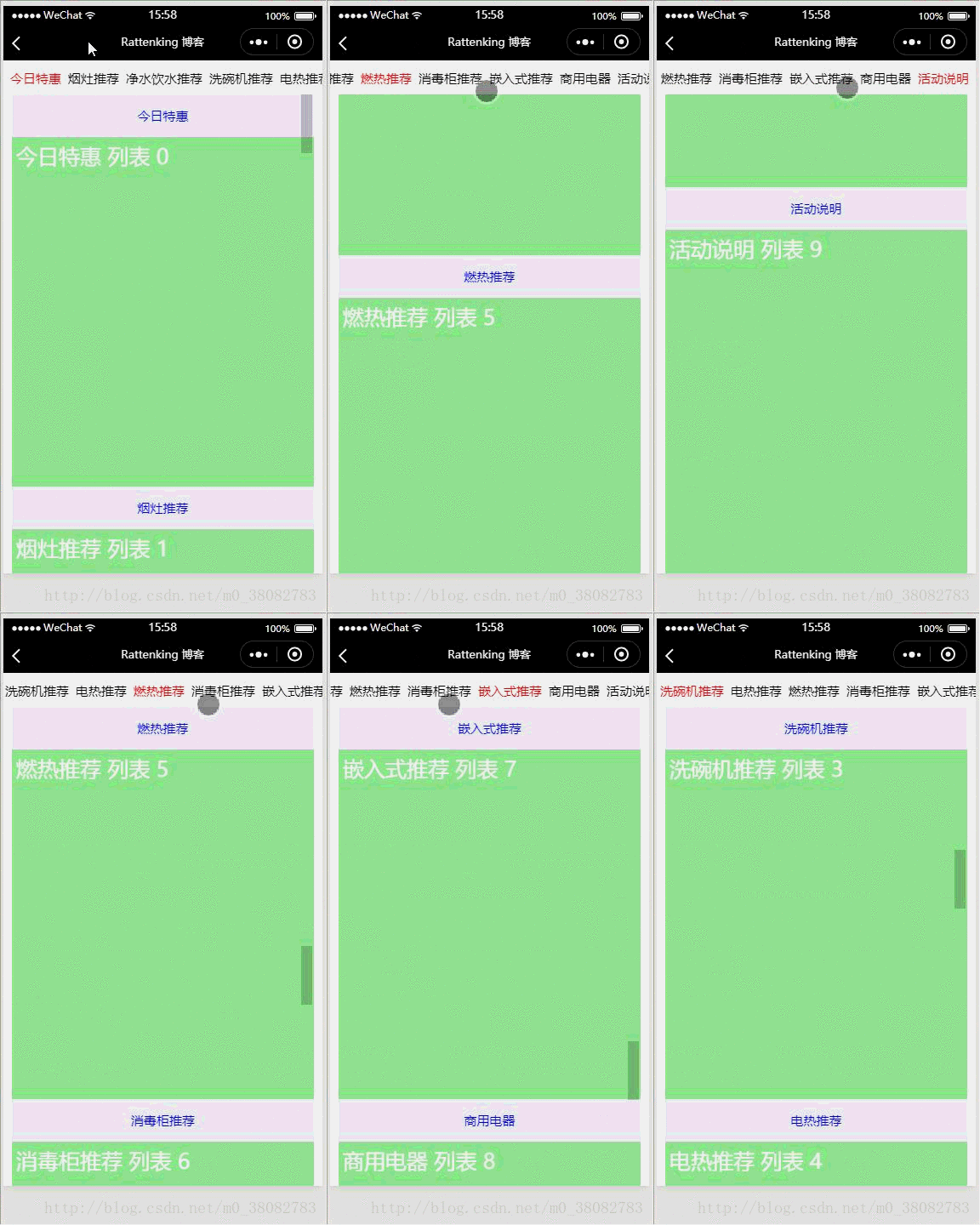
**实现原理**
采用双 scroll-view 组件实现双滚动!
WXML
{{item}}
{{item}}
{{item}} 列表 {{index}}
WXSS
.tui-fixed-x{
width: 100%;
position: fixed;
top: 0;
left: 0;
}
.tui-city-scroll{
height: 80rpx;
line-height: 80rpx;
width: 100%;
white-space: nowrap;
}
.tui-nav-li{
font-size: 30rpx;
padding: 0 8rpx;
}
.tui-nav-li:first-child{padding-left: 16rpx;}
.tui-nav-li:last-child{padding-right: 16rpx;}
.tui-nav-active{color: red;}
.tui-fixed-y{
width: 100%;
height: calc(100% - 80rpx);
position: fixed;
bottom: 0;
left: 0;
}
.tui-city-scroll-y{
padding: 0 20rpx;
height: 100%;
box-sizing: border-box;
}
.tui-list-head{
height: 50px;
line-height: 50px;
text-align: center;
font-size: 30rpx;
color: blue;
}
.tui-list-li{
height: 400px;
padding: 10rpx;
color: #fff;
font-size: 50rpx;
background-color: lightgreen;
}
JS
Page({
data: {
navList: \['今日特惠', '烟灶推荐', '净水饮水推荐', '洗碗机推荐', '电热推荐', '燃热推荐', '消毒柜推荐', '嵌入式推荐', '商用电器','活动说明'\],
status: 0
},
getStatus(e){
this.setData({ status: e.currentTarget.dataset.index})
}
})
注意
- scroll-view 组件如果横向滚动必须要有一个可视宽度,纵向滚动必须要有一个可视高度;
- 滚动的定位采用 scroll-view 组件的 scroll-into-view 属性,用 id 进行定位。
相关推荐:
jQuery实现的粘性滚动导航栏效果
微信小程序顶部可滚动导航效果
jQuery实现带滚动导航效果的全屏滚动相册实例\_jquery
以上就是微信小程序YDUI的ScrollNav组件实现滚动导航效果的详细内容,更多请关注知企PROSAAS其它相关文章!
**Tags:** jquery, 微信小程序
**Categories:** 后端开发
---